 The Wallet Shoppe

Laptop bags commonly use nylon, polyester, canvas, leather, or coated leather alternatives. The outer shell is only part of the protection: the sleeve’s fit, padding, base, and closures matter too.
Start with your laptop’s actual dimensions and your daily load. Then compare the bag’s weight and construction, not just its material label.
Laptop-Bag Materials Compared
| Material | Reasons to consider it | Checks before buying |
|---|---|---|
| Nylon | Available in lightweight and heavier-duty fabrics | Empty weight, fabric specification, and reinforced wear points |
| Polyester | Widely used for everyday work and school bags | Sleeve padding, seams, and coating rather than fiber name alone |
| Canvas | A textured woven look for casual work bags | Weight, water protection, and any wax-specific care |
| Leather | A traditional briefcase or messenger-bag appearance | Finish, strap anchors, empty weight, and care |
| Coated leather alternative | A leather-like surface with a different composition | Backing, fold/edge wear, and confirmation of any vegan claim |
No row guarantees drop protection. A thick leather shell can still surround an unpadded laptop pocket, while a light fabric bag may have a better-supported compartment.
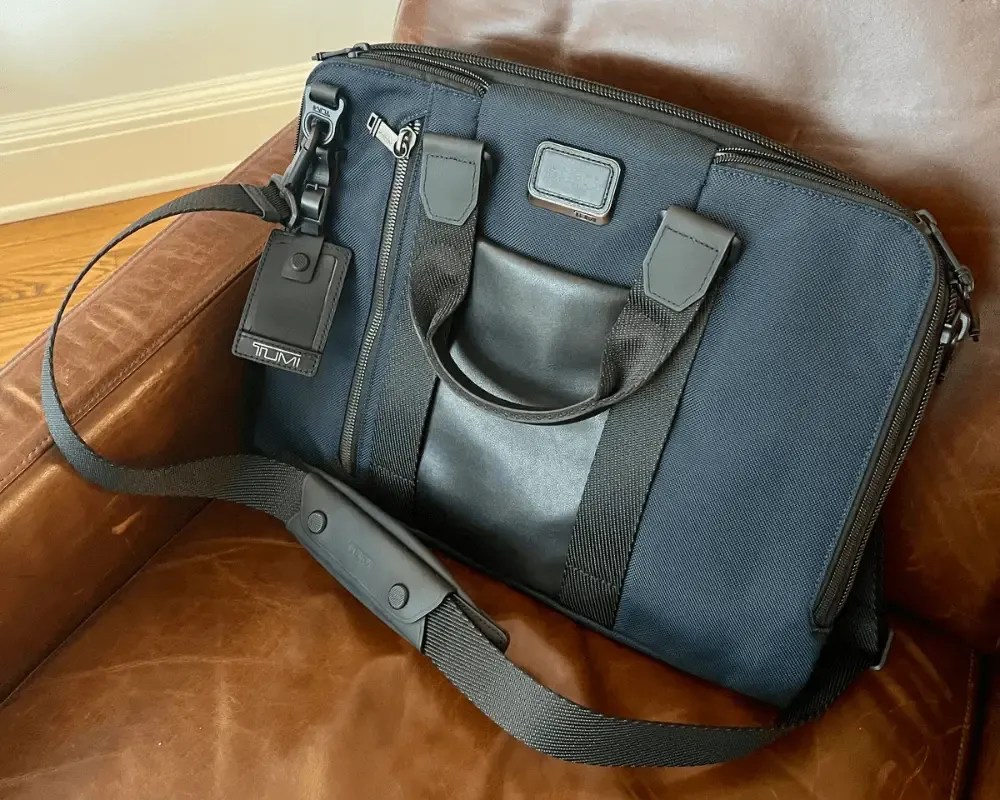
I’ve had an older Tumi laptop bag for years and it has lasted well. I also have a newer blue one. No, I’m not an addict, honest.
What Does a Denier Rating Tell You?
Denier measures yarn mass per unit length, not the strength of the finished bag. A higher number can indicate a heavier yarn, but comparing different fibers and constructions by that number alone is unreliable.
Weave, yarn type, coating, and stitching also affect performance. TOM BIHN’s materials page shows how these details vary between bag fabrics. Use denier as one specification to compare, not a durability score.
The same caution applies to “ballistic” and “ripstop.” They’re fabric descriptions, not promises that your laptop can survive a drop or that the bag cannot tear.
How to Check Laptop Fit
Measure the laptop’s width, depth, and thickness, including any shell you keep on it. Compare those with the compartment’s usable internal dimensions. The advertised screen-size category is a starting point, not proof of fit.
Try sliding the laptop in and closing the bag without forcing the zipper. Check that it doesn’t move around excessively. If you add a separate sleeve, measure the sleeved device again; the extra padding needs space too.
A tablet-style pocket, an open divider, and a padded laptop compartment are not the same thing. Look at the actual interior rather than relying on the listing’s “laptop compatible” label.
Padding and the Bottom of the Bag
Check where the laptop sits when the bag is on the floor. Some designs hold the compartment above the base; others put the device directly against it. Feel for padding around the bottom and corners, not just the broad front and back faces.
Padding can reduce some knocks. It doesn’t establish protection against a particular fall unless the manufacturer provides an applicable test and its conditions. A neoprene sleeve is not a guarantee against drop damage either.
Keep chargers and other hard objects from pressing directly against the laptop. Separate pockets help, provided you don’t overpack them into the computer compartment.
Rain Protection
Water-resistant fabric doesn’t make the whole bag waterproof. Look at seams, zippers, and openings, and check the maker’s stated protection. Our backpack-material guide explains coatings and waterproof construction.
For wet commutes, an appropriately sized waterproof inner liner or dry bag can add protection. Check that its closure works around the device and that the laptop is dry before sealing it inside.
Choose for the Journey
For a short walk from the car, a briefcase or messenger bag may be convenient. For longer walks with a laptop, charger, and lunch, compare a backpack that carries the load on both shoulders. Try either option with your usual contents before deciding.
Look for secure strap attachments and handles, accessible pockets, and a return policy that lets you check fit. If a shoulder bag suits your routine, our lightweight laptop messenger-bag guide is the next comparison to make.